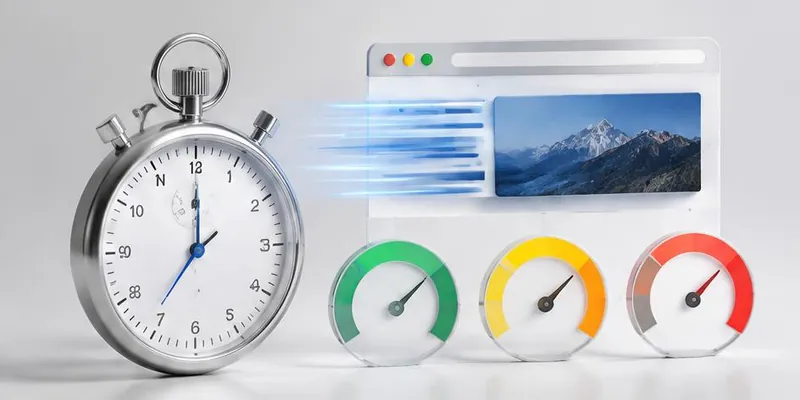
Launch Web Products — The Complete Playbook
Launching a web product means juggling frontend, backend, database, CMS, performance, and SEO — all under pressure to launch fast. Here's the playbook we use at QA Labs.

Launching a web product is high-stakes. You have one shot at first impression. Performance, SEO, and reliability on launch day set the trajectory for months.
Here's the playbook we use to launch web products that hold up.
The launch checklist
6 weeks out — Architecture
Stack choice (React, Next.js, Node, PostgreSQL)
Rendering strategy (SSR, SSG, ISR per route)
Database schema and indexes
API contract
CMS integration approach
4 weeks out — Build and test
Feature development in weekly increments
Automated test suite (unit, integration, E2E)
Preview deployments per PR
Core Web Vitals baseline
2 weeks out — QA sprint
Full regression testing
Cross-browser testing
Performance testing at peak load
Accessibility audit (WCAG 2.1 AA)
SEO technical audit
1 week out — Pre-launch
Load testing at 10x expected
Security audit (OWASP Top 10)
Backup and rollback plan
Monitoring and alerts live
Launch day — Monitor everything
Real-user metrics (CWV)
Error rates and crash reports
Server metrics (CPU, memory, DB)
Conversions and engagement
The launch essentials
1. Core Web Vitals
LCP <2.5s
INP <200ms
CLS <0.1
Passing CWV is SEO table stakes.
2. Accessibility (WCAG 2.1 AA)
Keyboard navigation
Screen reader compatibility
Contrast ratios
Focus states
Accessibility is a legal requirement in most markets.
3. SEO technical foundation
Sitemap.xml and robots.txt
Schema markup (Organization, Product, FAQ)
Meta tags per page
Canonical URLs
4. Monitoring before launch
Error tracking (Sentry)
Real-user metrics (web-vitals)
Uptime monitoring (Better Uptime)
Alerts to Slack
Common launch-day failures
Hero image too large (LCP fails)
Third-party scripts block render
Database queries don't scale under load
Missing image dimensions cause CLS
Modal focus traps break accessibility
SEO meta tags missing on dynamic pages
What we deliver
Full-stack web application
Automated test suite
Core Web Vitals optimization
SEO foundation
Monitoring and alerting setup
Launch-day support
Common mistakes
Launching without performance testing
Skipping accessibility audit
No monitoring before launch
No rollback plan
Ignoring CWV until after launch
Not load testing at real scale
Key takeaways
- Launch day sets the trajectory
- Core Web Vitals and accessibility are non-negotiable
- Monitoring must be live before launch
- Load test at 10x expected traffic
- Have a rollback plan
Further reading
About the author
Senior Web Engineer →Senior Web Engineer · Quality Assurance Labs