
Solution
Web Platform Launch
Launch a full-stack web platform with QA built into every sprint, not bolted on at the end.
Overview
Most web launches go wrong the same way: QA happens in the last week, bugs pile up and the date slips. We build differently, with testing in every sprint from the start.
We scope the platform with you, build it in sprints with React, Next.js, Node and PostgreSQL or your preferred stack, automate tests as features land, load test before launch and support you afterwards.
The problem
- 01
Past builds launched late and full of bugs
- 02
QA only happens in the final week
- 03
No confidence the app will hold under real traffic
How QA Labs solves it
- Step 1
Scope and plan
Requirements, architecture, and a test strategy agreed before coding starts.
- Step 2
Build in sprints
Each sprint ships working features with QA testing in the same sprint.
- Step 3
Automate and load test
Regression and performance tests run before every release.
- Step 4
Launch and support
Monitored go-live with fast fixes in the weeks after launch.
Who it's for
- Founders building a new SaaS or web platform
- Teams whose past launches were late and buggy
- Products that must handle real traffic from day one
What you get
- A scoped plan and sprint roadmap
- A full-stack web application with QA in every sprint
- Automated tests and a load test before launch
- Launch support and monitoring
Questions
Which technologies do you build with?+
Typically React or Next.js, Node and PostgreSQL, but we work with your existing stack where that makes more sense.
Do we own the code?+
Yes. The code is yours and lives in your repository.
What does a build cost?+
Every web & mobile app development engagement starts with a free starter package: a scoping call and a short written audit of your product, with a recommended plan and quote, at no cost and with no obligation. If you go ahead, you choose hourly, fixed-price or a dedicated monthly team, and the price is agreed in writing before any paid work starts. Current rates are on our pricing page.
What the first month looks like
- Week 1
Agree scope, architecture and the first release
- Week 2
Build core journeys with tests from the first sprint
- Week 3
Add integrations, analytics and monitoring
- Week 4
Run regression, performance and accessibility checks before launch
Every plan is agreed with you after the free scoping call, so the order and pace fit your product.
Mistakes to avoid
- Leaving testing until the last sprint, when every bug found delays the launch date.
- Choosing the stack for the demo rather than for the traffic, team and integrations you will have in a year.
- Launching without monitoring, so the first sign of a problem is a customer email.
How to measure success
- Core Web Vitals (LCP, INP, CLS) on real devices at launch and after.
- Bugs found after launch compared with bugs found before it.
- Uptime and error rates from monitoring in the first weeks live.
Tools we use
- React
- Next.js
- Node.js
- PostgreSQL
- Playwright
- k6
Related guides
Guides
- Full-Stack Web Application Development in 2026Full-stack in 2026 means more than knowing both sides. It means picking the right stack, architecting for scale, testing continuously, and monitoring in production. Here's the modern playbook we use at QA Labs.
- Progressive Web Apps — When and When Not to Build OneA PWA isn't a compromise. Done right, it beats native for most use cases. Here's what a PWA actually gives you, where it falls short, and how to decide if it's right for your product.
- Next.js Core Web Vitals: 5 Measured Fixes for App RouterWe fixed LCP, CLS and INP on a Next.js 16 App Router page and measured each change: Lighthouse mobile 84 to 97, slowest keystroke 232 ms to 16 ms. Code included.
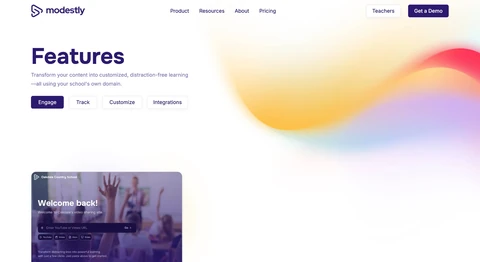
Full-Stack EdTech Web App Case Study
EdTech SaaS that turns videos and links into distraction-free learning experiences for students.
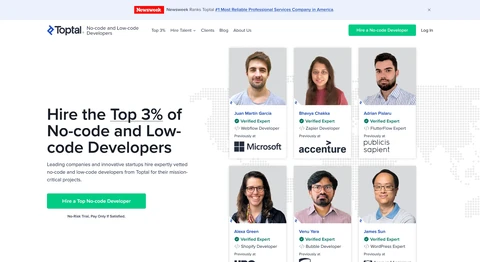
Frontend UI/UX Case Study: No-Code Agency
No-code development agency and community.
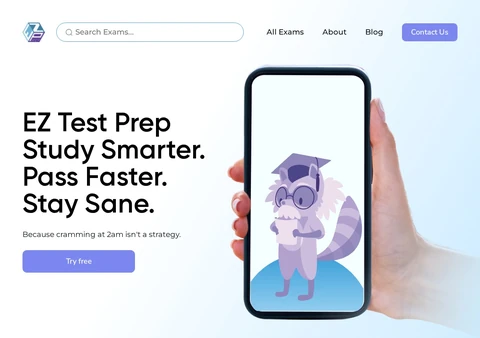
Progressive Web App Case Study: Test Prep
Online test-preparation platform.