E-commerce Load Testing for Peak Sales with k6
We ran one k6 peak-sale test against three checkout designs. The fastest oversold the deal every run; the locked one answered about 51 of 3,650 shoppers in time.
- load-testing
- k6
- e-commerce-testing
- performance-testing
- Black-Friday
Online stores rarely go down on an ordinary Tuesday. They fail in the first minutes of a Black Friday sale, a product drop or a TV mention, when thousands of shoppers arrive at once and many of them want the same discounted item. Load testing is how you find out what happens then, before your customers do.
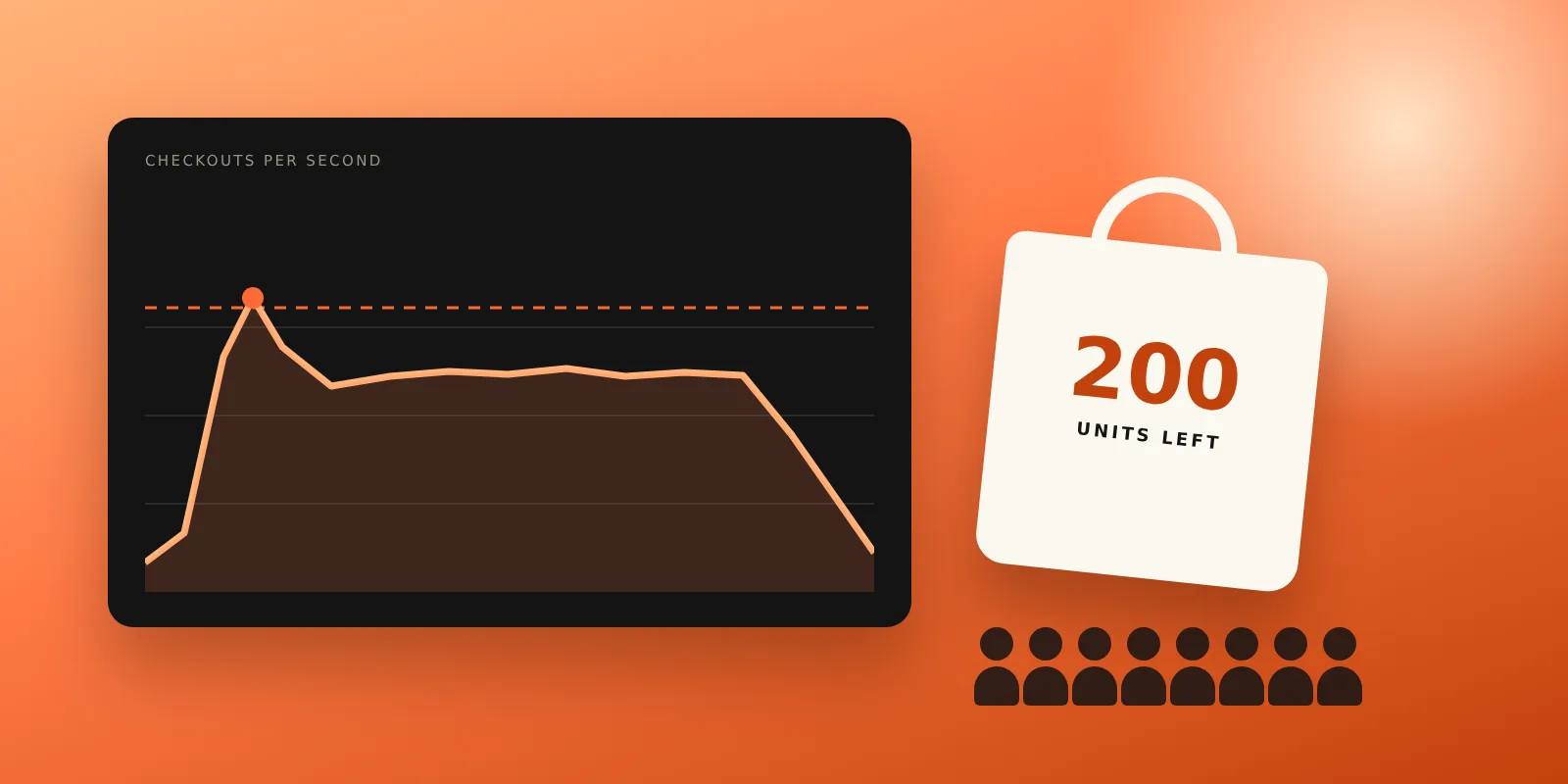
To show what an e-commerce load test should look for, we built a demo store with a 200-unit doorbuster deal and ran the same k6 peak-sale test against three versions of its checkout. Each version is a design we have seen in real stores. We ran every version three times on the same GitHub-hosted runner.
The results were not what a speed-only test would show. The fastest checkout oversold the deal by 9 to 11 units in every run while passing every latency target. The version that fixed overselling with a lock answered only about 51 of roughly 3,650 shoppers in time, and kept creating orders after the shoppers' requests had already timed out. Only the third design was both correct and fast.
Results at a glance
| Checkout design | p95 checkout time | Checkouts answered in time | Deal units sold (stock 200) |
|---|---|---|---|
| Naive: check stock, charge, then take stock | 235 to 245 ms | all of about 3,650 | 209 to 211 (oversold by 9 to 11) |
| Locked: one global lock around the whole checkout | over 10 s (timeout) | 51 to 52 | 200 |
| Reserved: reserve stock atomically, then charge | 230 to 245 ms | all of about 3,650 | 200 |
Ranges cover three runs of each design. p95 is the time within which 95% of checkouts answered. We keep the demo code, the GitHub Actions workflow and the raw k6 summaries of every run in our lab repository.
The demo store and the peak-sale test
The store is a small Node.js server. It sells a doorbuster deal with 200 units and a regular item with plenty of stock. Reading products and adding to the cart take 3 to 7 ms, like a database read. The payment step calls a simulated card provider that answers in 150 to 250 ms, like a real card network round trip, and declines 5% of cards.
The k6 test models two kinds of traffic running together for 100 seconds:
- The doorbuster rush: when the sale opens, 60 new shoppers per second go straight for the deal for 10 seconds, 600 in all.
- Regular shoppers: arrivals climb from 5 to 40 new shoppers per second over 20 seconds, hold at 40 per second for a minute, then wind down.
- Each shopper loads the product list, creates a cart, adds one item and checks out, so every shopper makes four requests.
- Pass criteria: 95% of checkouts answer within 1 second, fewer than 1% of requests fail, and the store never sells more deal units than it had.
We used k6 1.3.0 on a GitHub Actions ubuntu-latest runner with 2 vCPU and 7 GB RAM, running the load generator and the store on the same machine. These numbers show how each design behaves under pressure. They are not a capacity figure for your store, which depends on your hosting, database and payment provider.
The k6 script
Two details in the script matter more than the numbers. First, it uses an arrival-rate executor: new shoppers keep arriving on schedule whether or not earlier ones have finished, as they do on a real sale day. A fixed pool of virtual users that wait for each response would slow down with the store and hide the collapse. Second, it treats 402 (card declined) and 409 (sold out) as correct answers, so the error rate only counts real failures.
import http from "k6/http";
import { check } from "k6";
import { Trend } from "k6/metrics";

const BASE = __ENV.BASE || "http://localhost:4200";
const checkoutTime = new Trend("checkout_duration", true);
http.setResponseCallback(http.expectedStatuses(200, 201, 402, 409)); // declined and sold out are valid answers

export const options = {
  scenarios: {
    doorbuster: { executor: "constant-arrival-rate", rate: 60, timeUnit: "1s", duration: "10s",
      preAllocatedVUs: 100, maxVUs: 1000, exec: "doorbuster" },
    regular: { executor: "ramping-arrival-rate", startRate: 5, timeUnit: "1s", preAllocatedVUs: 50, maxVUs: 1000,
      stages: [{ target: 40, duration: "20s" }, { target: 40, duration: "60s" }, { target: 0, duration: "10s" }],
      exec: "regular" },
  },
  thresholds: {
    "checkout_duration{scenario:doorbuster}": ["p(95)<1000"],
    "checkout_duration{scenario:regular}": ["p(95)<1000"],
    http_req_failed: ["rate<0.01"],
  },
};

export function doorbuster() { shop("DEAL"); }
export function regular() { shop("MUG"); }

function shop(sku) {
  const params = { headers: { "content-type": "application/json" }, timeout: "10s" };
  http.get(`${BASE}/api/products`);
  const cart = http.post(`${BASE}/api/carts`, "{}", params).json("id");
  http.post(`${BASE}/api/carts/${cart}/items`, JSON.stringify({ sku }), params);
  const token = Math.random() < 0.05 ? "tok_declined" : "tok_visa";
  const res = http.post(`${BASE}/api/carts/${cart}/checkout`, JSON.stringify({ paymentToken: token }), params);
  checkoutTime.add(res.timings.duration);
  check(res, { "checkout answered": (r) => [201, 402, 409].includes(r.status) });
}

// After the test: did we sell more than we had?
export function teardown() {
  const stats = http.get(`${BASE}/api/stats`).json();
  check(stats, { "no oversold units": (s) => s.oversold === 0 });
}
The teardown check is the part most load tests leave out. A load test that only measures response times tells you whether the store is fast. It does not tell you whether it is right.
Design 1: fast, and oversold every time
The naive checkout checks the stock, calls the payment provider, and only then takes the item out of stock:
if (!inStock(cart)) return [409, { error: "out_of_stock" }];
const pay = await charge(token);      // 150-250 ms: other shoppers pass the stock check meanwhile
if (!pay.ok) return [402, { error: "card_declined" }];
take(cart);                           // stock goes down only now
With one shopper at a time, this works. During the rush, every shopper who arrived while the last units were in the payment step also passed the stock check. In our three runs the store sold 209, 211 and 211 units of a 200-unit deal. Every latency threshold passed: p95 checkout time was 235 to 245 ms and no request failed.
In a real store, that means 9 to 11 customers who were charged for an item that does not exist, followed by cancellations, refunds, support tickets and angry reviews, on the day the store gets the most attention.
Design 2: correct, and collapsed
The obvious fix is a lock: only one checkout at a time can check and take stock. The trap is where the lock ends. In this design, as in many real ones, the lock is held during the payment call too:
await previousCheckout;               // every checkout in the store waits for the one before it
try {
  if (!inStock(cart)) return [409, { error: "out_of_stock" }];
  const pay = await charge(token);    // ...including during this 150-250 ms payment call
  if (!pay.ok) return [402, { error: "card_declined" }];
  take(cart);
} finally { release(); }
It never oversold. But a payment call that takes about 200 ms on average means this store can finish at most about five checkouts per second, for every product, not just the deal. During the rush, 60 to 80 new shoppers a second were arriving.
| Locked design, 3 runs | Result |
|---|---|
| Checkouts answered within the 10-second timeout | 51 to 52 |
| Checkouts that timed out | about 3,020 per run |
| Planned shoppers k6 could not start, because every virtual user was stuck waiting | 576 per run |
| Share of all requests that failed | 24.6% |
| Orders the store had created when the test ended | 467 to 484 |
The last row is the worst one. The store kept working through its queue after the shoppers' requests had timed out, so more than 400 orders per run were created and charged for shoppers who had already seen an error. In a real store, many of them would click Place order again.
This is also why a speed test on a quiet staging server would not catch it. One checkout at a time, the locked design answers in about 200 ms, exactly like the others.
Design 3: reserve first, then charge
The correct design takes the item out of stock in one atomic step before the payment, and gives it back if the card is declined. In a database this is a single conditional update, such as UPDATE products SET stock = stock - 1 WHERE sku = $1 AND stock >= 1, which either reserves a unit or changes nothing. No lock is held during the payment call.
if (!inStock(cart)) return [409, { error: "out_of_stock" }];
take(cart);                           // atomic: no await between the check and the take
const pay = await charge(token);
if (!pay.ok) { take(cart, -1); return [402, { error: "card_declined" }]; }  // give it back
return [201, makeOrder(cart, pay)];
Across three runs it sold exactly 200 deal units, answered every shopper, and kept p95 checkout time between 230 and 245 ms, the same as the naive design. Real stores add a time limit to reservations, so units held by abandoned or failed payments return to stock.
What to measure in an e-commerce load test
- Response time per step at p95 and p99, not the average: product page, search, add to cart, checkout and payment.
- Real errors, with expected business answers (sold out, card declined) excluded.
- Business invariants after the test: units sold never above stock, one order per successful payment, no orders without payment, and totals that match the cart.
- Work that continues after a timeout: orders, charges and emails created after the shopper gave up.
- Throughput limits: the point where arrivals outpace completed checkouts and queues start to grow.
- Every dependency: database connections, the payment provider's sandbox limits, search, shipping and tax services, and third-party scripts on the checkout page.
How to plan a peak-sale load test
- Estimate peak arrivals from last year's analytics: shoppers per second in the busiest minute, not daily visitors. Test at two to three times that figure.
- Model the shape of the day: a sharp opening spike on the deals, then sustained traffic, as we did with two scenarios.
- Use an arrival-rate model, so the test keeps sending shoppers when the store slows down.
- Test a production-like environment with realistic data, caching and CDN settings, and your payment provider's sandbox. Never load test real card payments, and check the sandbox's rate limits first.
- Add checks for overselling, duplicate orders and orders without payment, not only for speed.
- Run the test several times, fix the first bottleneck, and run it again: the second bottleneck is often hiding behind the first.
- Finish at least two weeks before the sale, and freeze risky changes after the final run.
Our earlier guide to performance testing covers load, stress and soak tests in general. For the checkout rules that must hold even with one shopper, such as coupon limits, tax and declined cards, see our e-commerce QA testing guide, which tests the same kind of store with Playwright.
If you have a sale coming up, our performance testing team can model your expected peak, run the load tests against a staging copy of your store, and check the business rules that a speed-only test misses.
Frequently asked questions
What is e-commerce load testing? — It is testing how an online store behaves when many shoppers use it at once: how fast pages and checkout answer, where errors start, how many orders per second the store can complete, and whether orders, stock and payments stay correct under that pressure.
Why use k6 for load testing? — k6 is open source, its tests are plain JavaScript, it runs from the command line or in CI, and its arrival-rate executors make it easy to model shoppers who keep arriving on schedule. JMeter, Gatling and Locust can run the same kind of test.
How many virtual users do I need? — Start from arrivals, not users. If your busiest minute last year had 1,200 checkouts, that is 20 per second; test at 40 to 60 per second. With an arrival-rate executor, k6 adds virtual users as needed, so set maxVUs high enough that it never runs out.
Can I load test my live store? — Only with care: tell your hosting and payment providers first, test outside busy hours, use test products or a payment sandbox, and have someone watching who can stop the test. A staging copy of the store is safer and finds the same design problems.
Key takeaways
- A checkout can pass every speed threshold while overselling stock: check business rules after a load test
- A global lock held during the payment call capped the store at about five checkouts per second
- Timed-out requests can still create and charge orders; count orders on the server after the test
- Reserve stock with one atomic update before charging, and release it if the payment fails
- Use an arrival-rate model so the test keeps sending shoppers when the store slows down
Free checkout review
Want us to check your store's checkout?
Send us your store's address. An engineer will walk through browsing, cart and checkout on desktop and mobile, without placing a real order, and email you the most important issues we find. Free, and no call needed.
Related service
QA Testing →Automated suites, manual deep-dives, and CI guardrails that catch regressions before your users do.
Further reading
About the author
Kawsher, Founder, QA Labs →Kawsher is the founder of Quality Assurance Labs (QA Labs), the QA-first software testing and development company in Bogura, Bangladesh, founded in 2021. Every article and case study on this site is written or reviewed by Kawsher, drawing on the team's QA testing, AI, web, mobile, video and marketing work for SaaS and AI teams worldwide.