E-commerce QA Testing: 7 Checkout Bugs and How to Catch Them
We seeded a demo store with seven checkout bugs (price tampering, coupon stacking, overselling, double orders) and wrote the Playwright tests that catch each one.
- e-commerce-testing
- checkout-testing
- Playwright
- API-testing
- QA-testing
Most e-commerce bugs that cost money are not visual. The page looks right, the button works, and the order goes through, but the customer paid the wrong amount, two people bought the last item in stock, or a declined card still created an order that the warehouse is about to pack. These bugs live in the checkout logic, between the cart, the coupon rules, the tax calculation, the payment provider and the stock count.
To show what e-commerce QA testing should catch, we built a small demo store with a checkout API and a one-page storefront, and seeded it with seven bugs we regularly find when testing real stores. Then we wrote eight automated tests with Playwright: one happy path and one test per bug.
Against the buggy store, all seven bug tests failed and the happy path passed, which is exactly the trap: a store can pass a basic "can I buy something?" check while losing money on every discounted order. Against the fixed version, all eight tests passed. We ran each version five times: the buggy store failed the same seven tests every run (35 of 40), and the fixed store passed all 40, with no flaky tests. The whole suite runs in under 3 seconds against the fixed store.
What e-commerce QA testing covers
E-commerce QA testing checks that an online store sells the right product, to the right person, at the right price, and records it correctly. It covers more than the visible storefront:
- Catalog and search: products, variants, prices and availability shown correctly, and search and filters that return what shoppers expect.
- Cart and pricing: quantities, coupons and promotions, tax and shipping, rounding, and currency display.
- Checkout and payment: successful, declined and abandoned payments, 3-D Secure, retries, refunds and the payment provider's webhooks.
- Orders and stock: orders created exactly once, stock that cannot go negative, and confirmation emails that match the order.
- Accounts and security: sign-in, saved addresses, guest checkout, and checks that the server, not the browser, decides prices and permissions.
- Devices, speed and accessibility: the checkout on real phones and browsers, under peak traffic, and usable with a keyboard and screen reader.
This article focuses on the checkout, because that is where a bug turns directly into lost revenue, chargebacks or overselling.
The demo store and the seven seeded bugs
The store sells three products, including a T-shirt with only one unit left. It has two coupons (SAVE10 for 10% off and WELCOME5 for $5 off), 8.25% sales tax, and a simulated payment provider that approves one test card and declines another. The same server runs in two modes, buggy and fixed, so every test runs against both.
| Bug | What happened in the buggy store |
|---|---|
| 1. Server trusts the price sent by the browser | A cap priced at $24.00 was added to the cart at $0.01 |
| 2. No quantity validation | A quantity of −3 was accepted and produced a negative subtotal (−$37.50) |
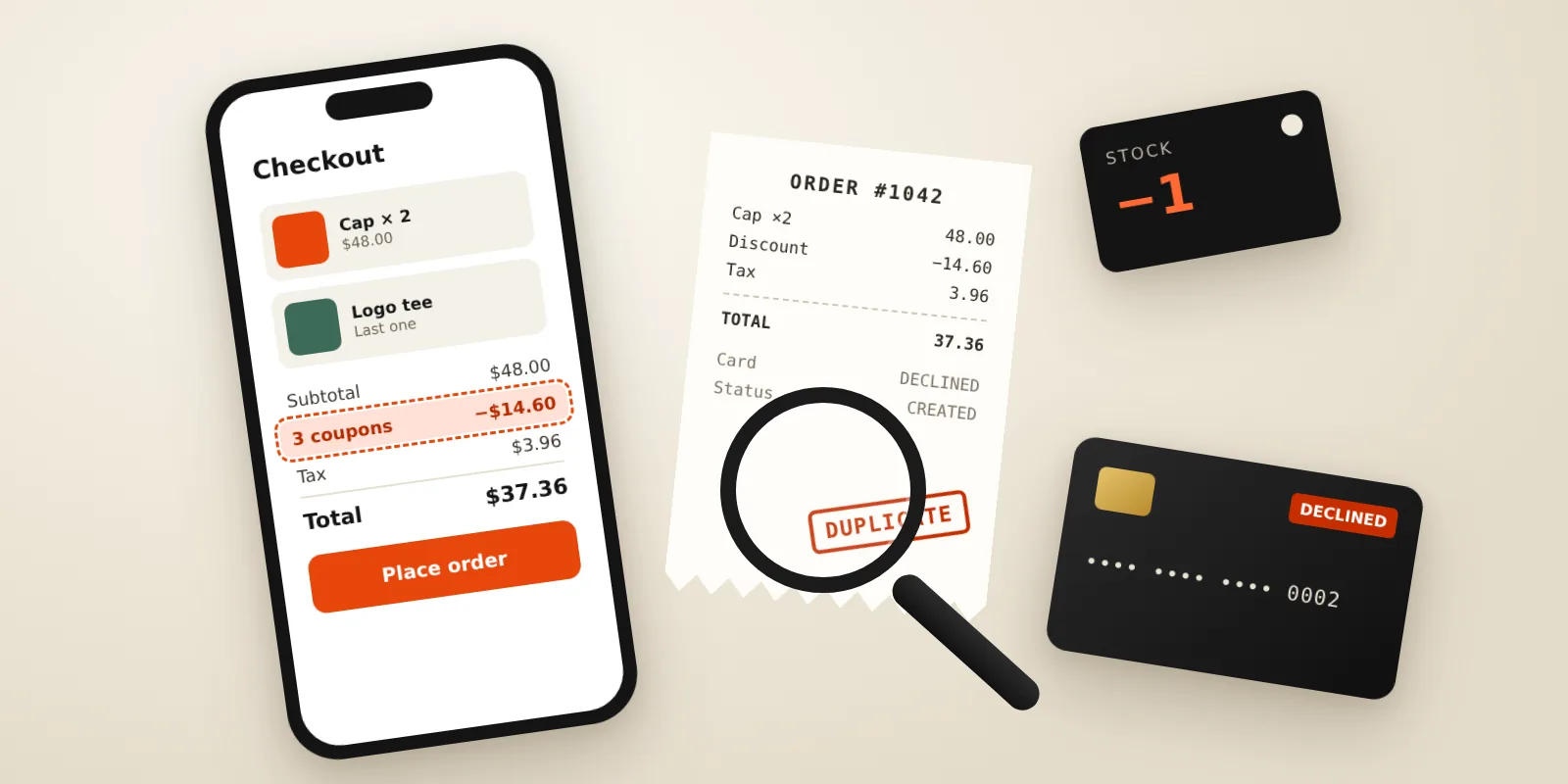
| 3. Coupons stack without limit | SAVE10 plus WELCOME5 plus SAVE10 again gave $14.60 off a $48.00 order instead of $4.80 |
| 4. Tax charged before the discount | Tax on a discounted order was $3.96 instead of $3.56 |
| 5. Order created before the card is charged | A declined card still created an order and took the last T-shirt out of stock |
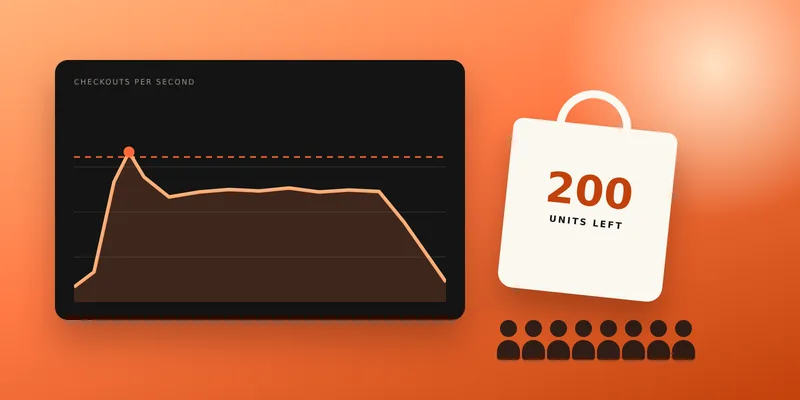
| 6. Stock check and decrement are not atomic | Two shoppers both bought the last T-shirt; stock ended at −1 |
| 7. Double-clicking Place order | Two paid orders for the same cart |
None of these bugs shows up when a tester clicks through the store once with valid data, which is why they reach production.
Test 1: the happy path (and why it is not enough)
Every checkout suite starts with one test that buys something and checks the result. Note the exact total: 2 × $12.50 = $25.00, plus 8.25% tax = $2.06, is $27.06. Asserting exact amounts, not just "an order exists", is what turns a smoke test into a pricing test.
import { test, expect } from "@playwright/test";

test.beforeEach(async ({ request }) => { await request.post("/api/test/reset"); }); // fresh store per test
const newCart = async (request) => (await (await request.post("/api/carts")).json()).id;
const stockOf = async (request, sku) => (await (await request.get("/api/products")).json()).find((p) => p.sku === sku).stock;

test("happy path: a paid order is created and stock goes down", async ({ request }) => {
  const cart = await newCart(request);
  await request.post(`/api/carts/${cart}/items`, { data: { sku: "MUG", qty: 2 } });
  const res = await request.post(`/api/carts/${cart}/checkout`, { data: { paymentToken: "tok_visa", idempotencyKey: "k-happy" } });
  expect(res.status()).toBe(201);
  expect((await res.json()).total).toBe(27.06);
});
This test passed against the buggy store. If it is the only checkout test you have, all seven bugs below ship.
Tests 2 and 3: never trust the browser with prices or quantities
Anything the browser sends can be changed with the developer tools or a simple script. The server must look up the price itself and validate every quantity.
test("the server ignores a price sent by the browser", async ({ request }) => {
  const cart = await newCart(request);
  const res = await request.post(`/api/carts/${cart}/items`, { data: { sku: "CAP", qty: 1, price: 0.01 } });
  expect((await res.json()).subtotal).toBe(24.0);
});

test("zero, negative and fractional quantities are rejected", async ({ request }) => {
  const cart = await newCart(request);
  for (const qty of [0, -3, 2.5]) {
    const res = await request.post(`/api/carts/${cart}/items`, { data: { sku: "MUG", qty } });
    expect(res.status(), `qty ${qty}`).toBe(400);
  }
});
These are API tests, not UI tests: the storefront's quantity picker may never allow −3, but the API behind it is public, and that is where a bad actor or a buggy mobile app will reach it.
Tests 4 and 5: coupons and tax are business rules, so test the numbers
Promotion rules are where most pricing bugs hide, because they are written once, changed often, and rarely tested beyond "the code works". Two rules to pin down in every store: how many coupons an order can carry, and whether tax is calculated before or after the discount.
test("only one coupon per order", async ({ request }) => {
  const cart = await newCart(request);
  await request.post(`/api/carts/${cart}/items`, { data: { sku: "CAP", qty: 2 } });          // $48.00
  expect((await request.post(`/api/carts/${cart}/coupons`, { data: { code: "SAVE10" } })).status()).toBe(200);
  expect((await request.post(`/api/carts/${cart}/coupons`, { data: { code: "WELCOME5" } })).status()).toBe(409);
  expect((await (await request.get(`/api/carts/${cart}`)).json()).discount).toBe(4.8);
});

test("tax is charged on the discounted subtotal", async ({ request }) => {
  const cart = await newCart(request);
  await request.post(`/api/carts/${cart}/items`, { data: { sku: "CAP", qty: 2 } });          // $48.00
  await request.post(`/api/carts/${cart}/coupons`, { data: { code: "SAVE10" } });             // −$4.80
  const t = await (await request.get(`/api/carts/${cart}`)).json();
  expect(t.tax).toBe(3.56);   // 8.25% of $43.20
  expect(t.total).toBe(46.76);
});
Your own rules may differ, for example some regions tax the full price, or a store may allow one product coupon plus one shipping coupon. The point is to write the rule down and assert it with exact amounts, so a change to the promotion engine cannot silently change what customers pay.
Test 6: a declined card must leave no trace
A common shortcut is to create the order and reserve stock first, then charge the card. If the charge fails, the code returns an error but forgets to undo the order and the stock change. In the buggy store, a declined card left a pending order and took the last T-shirt out of stock, so the next real customer saw it as sold out.
test("a declined card creates no order and keeps the stock", async ({ request }) => {
  const cart = await newCart(request);
  await request.post(`/api/carts/${cart}/items`, { data: { sku: "TEE", qty: 1 } });
  const res = await request.post(`/api/carts/${cart}/checkout`, { data: { paymentToken: "tok_declined", idempotencyKey: "k-declined" } });
  expect(res.status()).toBe(402);
  expect(await (await request.get(`/api/orders?cart=${cart}`)).json()).toHaveLength(0);
  expect(await stockOf(request, "TEE")).toBe(1);
});
Every payment provider has test cards for declines, insufficient funds and authentication failures. Run each one through checkout in the provider's sandbox, and check what the store records, not only what the shopper sees.
Test 7: two shoppers, one item in stock
Overselling happens when the code checks stock, does something slow (like calling the payment provider), and only then reduces stock. Two checkouts that start at the same moment both see one unit available, and both succeed. A single tester will never see this; a test has to send the requests at the same time.
test("two shoppers cannot both buy the last unit", async ({ request }) => {
  const [a, b] = [await newCart(request), await newCart(request)];
  await request.post(`/api/carts/${a}/items`, { data: { sku: "TEE", qty: 1 } });
  await request.post(`/api/carts/${b}/items`, { data: { sku: "TEE", qty: 1 } });
  const results = await Promise.all([a, b].map((cart, i) =>
    request.post(`/api/carts/${cart}/checkout`, { data: { paymentToken: "tok_visa", idempotencyKey: `k-race-${i}` } })));
  expect(results.map((r) => r.status()).sort()).toEqual([201, 409]); // one order, one "out of stock"
  expect(await stockOf(request, "TEE")).toBe(0);
});
In the buggy store both requests returned 201 and stock ended at −1. In a real database, the fix is a conditional update (UPDATE … SET stock = stock − 1 WHERE stock >= 1) or a row lock, so the second checkout fails cleanly instead of overselling.
Test 8: the double-click on Place order
Shoppers double-click, mobile networks retry, and impatient users press the button again when nothing seems to happen. Without protection, each click creates an order and charges the card. This is the one test that needs a real browser, because the bug is in how the page and the server handle repeated clicks.
test("double-clicking Place order creates one order", async ({ page, request }) => {
  await page.goto("/");
  await page.getByRole("button", { name: "Add to cart" }).click();
  await expect(page.locator('[data-k="total"]')).toHaveText("$13.53");
  await page.getByRole("button", { name: "Place order" }).dblclick();
  await expect(page.getByRole("status")).toContainText("placed");
  await page.waitForTimeout(500); // give a second request time to land, if one was sent
  expect(await (await request.get("/api/orders")).json()).toHaveLength(1);
});
The fix has two parts, and you need both: the page disables the button after the first click, and every checkout request carries an idempotency key that the server remembers. The second part matters because a disabled button does not stop network retries, back-button resubmissions or a second tab.
// Client: one key per checkout attempt, sent with every retry of that attempt.
const key = crypto.randomUUID();
placeOrder.disabled = true;
await fetch(`/api/carts/${cartId}/checkout`, { method: "POST", body: JSON.stringify({ paymentToken, idempotencyKey: key }) });

// Server: the same key gets the same answer, and no second order.
if (idempotency.has(key)) return idempotency.get(key);
const result = await chargeThenCreateOrder(cart);
idempotency.set(key, result);
Results: buggy store vs fixed store
| Test | Buggy store | Fixed store |
|---|---|---|
| Happy path: paid order, stock reduced | Pass | Pass |
| Server ignores browser price | Fail ($0.01 cap accepted) | Pass |
| Invalid quantities rejected | Fail (−3 accepted) | Pass |
| One coupon per order | Fail (coupons stacked) | Pass |
| Tax on discounted subtotal | Fail ($3.96 instead of $3.56) | Pass |
| Declined card leaves no order | Fail (pending order, stock taken) | Pass |
| No overselling the last unit | Fail (two orders, stock −1) | Pass |
| Double-click creates one order | Fail (two paid orders) | Pass |
| Five repeated runs | 35 failed, 5 passed, 0 flaky | 40 passed, 0 flaky |
All seven bug tests are API-level except the double-click test, which is why the suite is fast: the fixed store ran all eight tests in 2.8 seconds, including starting the server and one browser test.
How we tested
- Demo store: a single Node.js server with a JSON checkout API and a one-page storefront, run in buggy and fixed modes. The bugs are seeded on purpose and are simplified versions of issues we see in client audits; real stores will hide them behind more code.
- Payment provider: simulated, with one approving and one declining test token and a 120 ms response time, so timing-related bugs behave as they would against a real sandbox.
- Tests: Playwright Test 1.56 with Chromium, eight tests (seven API tests and one browser test), one worker, store reset before each test.
- Stability: each mode run five times with --repeat-each=5. The buggy store failed the same seven tests in every run; the fixed store passed every run.
Common e-commerce testing mistakes
- Testing checkout only with valid data and the approved test card.
- Asserting that an order exists, but not its exact subtotal, discount, tax and total.
- Testing promotions in the admin panel, but never the combinations a shopper can create at checkout.
- Never sending two checkouts at the same time, so stock and payment race conditions go unnoticed.
- Testing the payment provider's success webhook but not declines, timeouts, retries and duplicate webhooks.
- Leaving the API untested because the storefront "doesn't allow" bad input.
- Running the full checkout only before big launches, instead of on every release.
Your e-commerce QA testing checklist
- Write the pricing rules down (coupons, stacking, tax order, rounding, shipping) and assert exact amounts for each.
- Have the server look up every price and validate every quantity; test the API directly with bad input.
- Run every payment provider test card (approved, declined, insufficient funds, authentication required) through checkout.
- After a failed payment, check orders, stock and emails, not only the error message.
- Test concurrent checkouts for low-stock items.
- Protect checkout with a disabled button and an idempotency key, and test the double-click.
- Run the checkout suite on every release in CI, and the full device, speed and accessibility checks before peak sales.
If your store is heading into a launch or a peak season, our e-commerce QA team tests checkout, payments and orders end to end, and our e-commerce launch service builds and tests new stores. For the API side of these tests, read our API testing guide.
Frequently asked questions
What is e-commerce QA testing? — It is testing an online store end to end: catalog and search, cart and pricing, checkout and payments, orders and stock, accounts and security, and how the store works on real devices, under load and with assistive technology. The most expensive bugs are usually in pricing, payments and stock, so those deserve automated tests.
Should e-commerce testing be manual or automated? — Both. Automate the checkout rules that must never break (prices, coupons, tax, payments, stock, duplicate orders) and run them on every release. Use manual and exploratory testing for new features, visual checks across devices, and flows that change often.
How do you test payments without charging real cards? — Use your payment provider's sandbox or test mode and its published test cards, which simulate approvals, declines and authentication challenges. Then check what your store recorded: the order, its status, the stock and the emails.
How do you test for overselling? — Send two or more checkouts for the last unit at the same moment, with Promise.all in a test or a small load test, and assert that exactly one succeeds and that stock never goes below zero.
Key takeaways
- A store can pass a happy-path checkout test while losing money on every discounted order
- Assert exact subtotal, discount, tax and total, not just that an order exists
- The server must look up prices and validate quantities; test the API directly with bad input
- A declined card must leave no order and no stock change
- Send concurrent checkouts for the last unit: exactly one should succeed
- Stop double orders with a disabled button and an idempotency key, and test the double-click
Free checkout review
Want us to check your store's checkout?
Send us your store's address. An engineer will walk through browsing, cart and checkout on desktop and mobile, without placing a real order, and email you the most important issues we find. Free, and no call needed.
Related service
QA Testing →Automated suites, manual deep-dives, and CI guardrails that catch regressions before your users do.
Further reading
- E-commerce Launch
- QA Testing services
- API Testing — The QA Type Most Teams Ignore
- Playwright documentation
- OWASP
About the author
Kawsher, Founder, QA Labs →Kawsher is the founder of Quality Assurance Labs (QA Labs), the QA-first software testing and development company in Bogura, Bangladesh, founded in 2021. Every article and case study on this site is written or reviewed by Kawsher, drawing on the team's QA testing, AI, web, mobile, video and marketing work for SaaS and AI teams worldwide.