Real Device Lab vs Emulators — What Emulators Miss
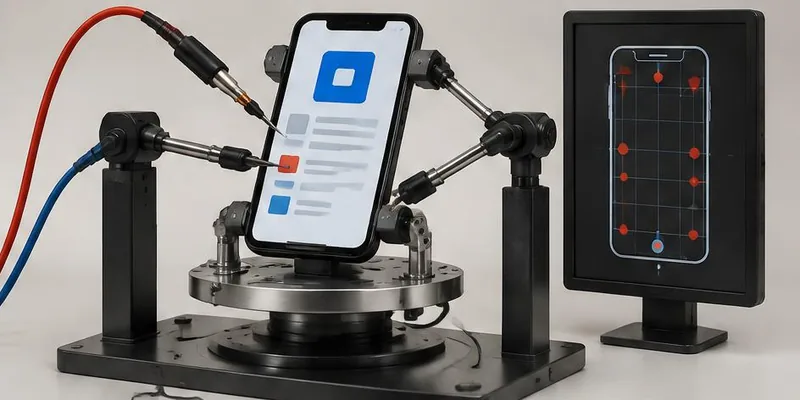
Emulators run your code. Real devices run your product. The difference matters more than most teams realize — because many mobile bugs are invisible on emulators. Here's what a real-device lab catches that nothing else does.

- real-device-testing
- mobile-QA
- device-lab
- iOS-testing
- Android-testing
Short answer
Emulators run your code on a desktop; real devices run your product the way users experience it. Emulators miss bugs that only real hardware shows, such as touch, sensors, battery and network problems. Use emulators for speed during development, include a real-device pass in every release, and combine a physical lab with a cloud device farm.
Key takeaways
- Emulators miss bugs that only real hardware shows
- Real devices required for touch, sensors, battery, network
- Combine physical lab + cloud for best coverage
- Every release should include a real-device pass
- Emulators for speed, real devices for truth
Every mobile QA team eventually has this conversation: "Can we skip real devices and just use emulators?" The answer is no — and the bugs you miss are the ones that hurt most.
What emulators actually are
Emulators run mobile OS environments on a desktop computer. Fast, easy, free. iOS Simulator (Xcode), Android Emulator (Android Studio), cloud emulators (BrowserStack, LambdaTest).
Why emulators are not enough
Many real-device bugs never appear on an emulator.
What do emulators miss?
- Touch responsiveness
- Sensor behavior (accelerometer, gyroscope, GPS, magnetometer)
- Camera and microphone
- Battery drain
- Performance on low-end devices
- Network handoff (WiFi → cellular)
- Notification delivery
- OS-specific UI rendering
What real-device testing catches
- Crashes on specific hardware
- Layout issues on different aspect ratios
- Battery drain
- Sensor integration bugs
- Network handoff issues
- Real notification behavior
- Camera/mic issues
- OS-specific UI rendering bugs
- Heat-related throttling
- Real memory usage
Building a real-device lab
- Option 1: Physical lab (20–40 devices, refreshed regularly)
- Option 2: Cloud device farms (BrowserStack, LambdaTest, AWS, Firebase)
- Option 3: Hybrid (small in-house + cloud for breadth)
Cost justification
- One bad release with a hardware bug → a wave of 1-star reviews
- Recovering app store ranking takes months
- Cloud device farms: a monthly subscription, priced by devices and minutes
Our recommendation
- Emulators for fast iteration during dev
- Real devices before every release
- Small in-house lab for rapid feedback
- Cloud device farms for breadth
Cloud device farm or your own devices?
Most teams combine both. A small set of physical phones on the desk gives fast, hands-on checking of the devices most users have. A cloud device farm adds breadth for release testing and automation without buying and maintaining hundreds of phones.
- Own devices: best for exploratory testing, gestures, camera, sensors and quick checks
- Cloud farm: best for running automated suites across many models and OS versions
- Both: keep the device list tied to your analytics and review it every quarter
Frequently asked questions
- Which devices should we buy first? — The two or three phones most of your users have, plus one low-end Android device and one small-screen phone. Your analytics or store console show which they are.
- Are cloud device farms real devices? — The major services offer real physical devices in data centres as well as emulators. Check which one a plan includes before you rely on it for release testing.
- When are emulators good enough? — During development, for quick layout checks and debugging. Before a release, confirm key journeys on real hardware.
Free QA spot-check
Want a QA engineer to look at your product?
Send us your website or web app address. An engineer will test one key journey, such as sign-up, search or checkout, on desktop and mobile, and email you the most important issues we find. Free, and no call needed.
Related service
QA Testing →Automated suites, manual deep-dives, and CI guardrails that catch regressions before your users do.
Further reading
About the author
Kawsher, Founder, QA Labs →Kawsher is the founder of Quality Assurance Labs (QA Labs), the QA-first software testing and development company in Bogura, Bangladesh, founded in 2021. Every article and case study on this site is written or reviewed by Kawsher, drawing on the team's QA testing, AI, web, mobile, video and marketing work for SaaS and AI teams worldwide.