
Solution
App Store Growth (ASO)
Improve your app's store ranking and turn more store visitors into installs.
Overview
If people can't find your app, or leave the listing without installing, development effort is wasted. Bad reviews about unfixed bugs make it worse.
We research the keywords your users search for, improve your titles, screenshots and descriptions, work with QA to fix the bugs mentioned in reviews and track ranking and conversion over time.
The problem
- 01
The app is hard to find in the stores
- 02
Store visitors leave without installing
- 03
Bad reviews mention bugs that were never fixed
How QA Labs solves it
- Step 1
Keyword research
Find the searches your users actually make.
- Step 2
Improve listings
Titles, descriptions, and screenshots rewritten and tested.
- Step 3
Fix review issues
QA reproduces bugs from reviews so they get fixed.
- Step 4
Track and iterate
Monthly reporting on rank, views, and installs.
Who it's for
- Apps that are hard to find in the stores
- Apps with plenty of listing views but few installs
- Apps with reviews complaining about bugs
What you get
- Keyword research for App Store and Google Play
- Improved titles, descriptions and screenshots
- Fixes for issues raised in reviews, verified by QA
- Ranking and conversion tracking
Questions
How is this different from normal ASO?+
We combine listing optimisation with QA. Fixing the bugs people complain about in reviews is often the fastest way to improve ratings.
Do you cover both stores?+
Yes, the Apple App Store and Google Play.
How do we start?+
Book a free scoping call. Most engagements start within 5–7 business days of agreeing scope, and urgent launch work can start within 48 hours.
What the first month looks like
- Week 1
Audit listings, keywords, ratings and competitors
- Week 2
Rewrite metadata around the keywords users search
- Week 3
Design and test new screenshots and icon variants
- Week 4
Track rankings and conversion and plan the next test
Every plan is agreed with you after the free scoping call, so the order and pace fit your product.
Mistakes to avoid
- Changing title, icon and screenshots all at once, so you cannot tell which change helped.
- Writing the listing for your team instead of the words people type in store search.
- Ignoring ratings and reviews, which affect both ranking and conversion.
How to measure success
- Store listing conversion rate from page view to install.
- Ranking for the target keywords in each store.
- Average rating and the volume of new reviews.
Tools we use
- App Store Connect
- Google Play Console
- AppTweak
- Firebase
Related guides
Guides
- App Store Optimization (ASO) in 2026 — Beyond KeywordsKeywords still matter, but they're only part of the ASO game in 2026. Here's what the rest looks like — visuals, ratings, conversion, and retention signals that actually drive downloads.
- QA Outsourcing in 2026: Models, Costs and How to ChooseWhen outsourcing QA pays off, the three engagement models, what really drives the cost, and the questions that separate a QA partner from a bug-reporting service.
- Software QA Audit: What It Checks and How It WorksA software QA audit tells you where bugs are slipping through and what to fix first. Here is what a good audit checks, how it runs, and the report you should get at the end.
Related service case studies
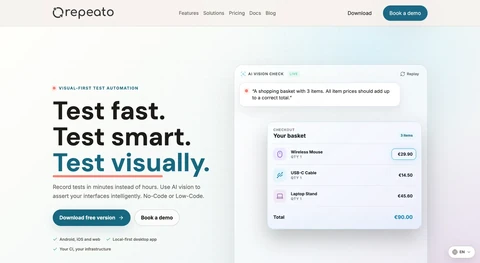
Test Automation Case Study: Testing Tool
No-code test automation tool for mobile and web apps.
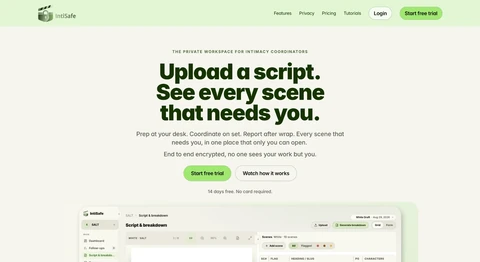
Security Testing an Encrypted App
End-to-end encrypted web and mobile workspace for intimacy coordinators in film and TV, with offline sync.
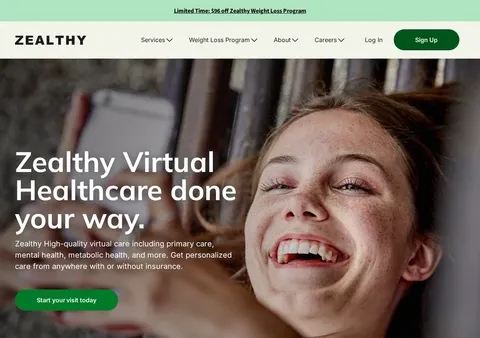
Telehealth Accessibility Testing Case Study
Telehealth platform connecting patients with licensed providers online.